The Trapped Librarian

Make your library the center of your school

  • Email
  • Facebook
  • Instagram
  • Pinterest
  • Twitter
  • Home
  • Blog
  • Topics
    • Books for Kids
    • Bulletin Boards and Displays
    • FUN!
    • Helpful Hints
    • Library Advocacy
    • Life
    • Organize It!
    • School Library
    • Technology
    • TPT
  • Shop
  • ABOUT
  • CONTACT
You are here: Home / Freebies / Hour of Code: Future Computer Scientists in the Making!

December 1, 2018 by: Laura

Hour of Code: Future Computer Scientists in the Making!

Last Updated on November 24, 2020 by Laura
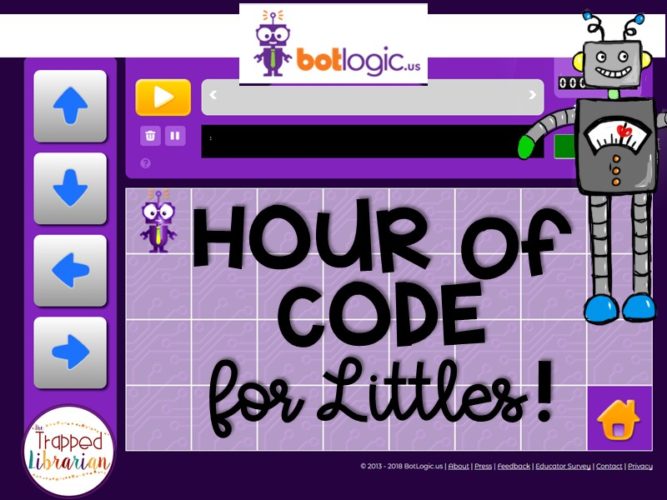
Computer Science Education Week is the first week in December each year.  This is a time when students around the world participate in the Hour of Code.  I’ve been participating with my elementary library classes for several years now, but at first I was very reluctant to try it with my youngest classes.  My lack of understanding about coding led to me feeling afraid to try to teach little ones about it.  When I found the site called Botlogic, that changed for me!  Now I have a great activity that starts off just where my kindergarten and first grade friends need to be.

Why teach young children about coding?

Coding activities help students develop skills in problem solving, logic, and creativity.  They also help students gain the skills to become CREATORS instead of CONSUMERS of technology products.  Exposing elementary students to computer science activities helps them begin to consider future careers.  According to code.org, although there are over 570,00 computing jobs open in the U.S., the majority of American schools do not teach computer science.  By participating in Hour of Code, you are helping to change that and show your students more opportunities for their futures!
Why Botlogic?

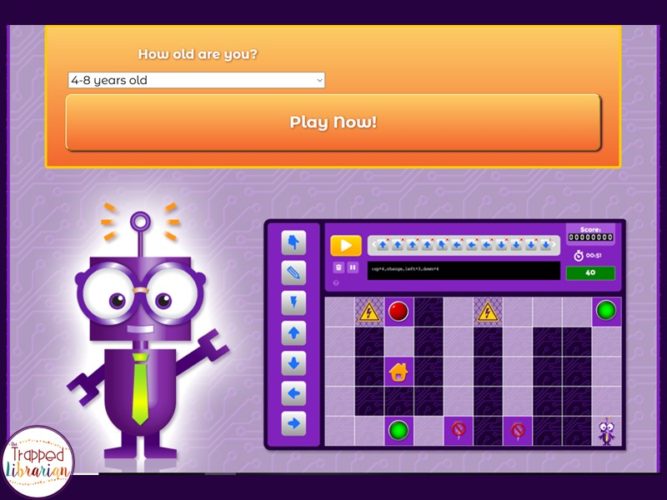
Botlogic has a user-friendly interface with large, colorful buttons and straightforward directions.  If you log in as an educator, they will send you a code to use, but I’ve always had my students use the site without the code and it works great.  At the first screen, players choose their age range, and click “Play Now!”

I recommend viewing the tutorial first and trying the game yourself before using it with your class.  If you aren’t familiar with coding activities, this is the perfect way to learn!  Some things that have worked for me:

  • Use the tutorial with the class on a large screen or just start with the game as a whole group to talk them through how it works.
  • Have students work in partners on a computer or iPad.  This promotes communication and collaboration – you’ll be amazed at the conversations you overhear!
  • Walk around and give suggestions, but try not to solve every problem for them!
  • Use Botlogic more than once.  I usually have my students try it for two class periods.  This helps them process and apply previous learning.
  • Send home information for parents so they can help extend the learning at home!

I recommend using Botlogic with grades K-2, but I have had older students come in to tell me they’ve tried it at home (because their younger siblings showed it to them!) and they loved it too!

Extend Your Hour of Code!

Check out these websites for more information:

  • Hour of Code
  • Code.org
  • Computer Science Education Week

Grab this freebie!

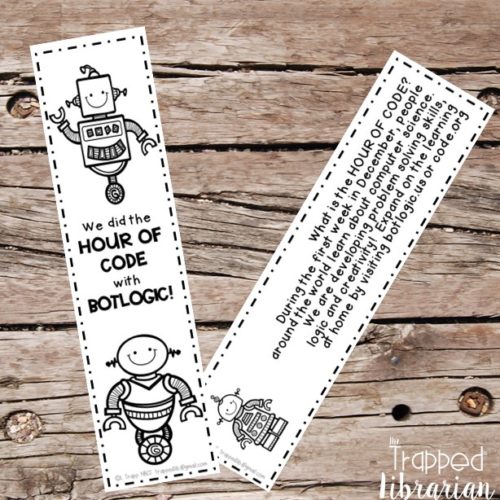
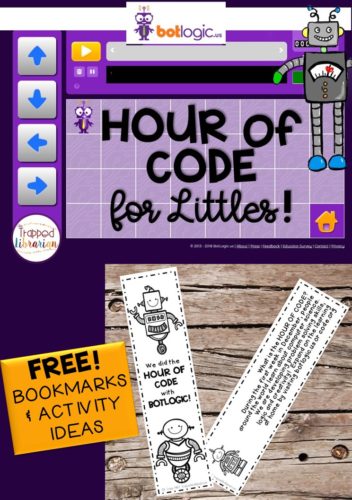
If you want to participate in Hour of Code and try Botlogic with your students, download my free bookmarks and get some other activity ideas!

Internet Safety

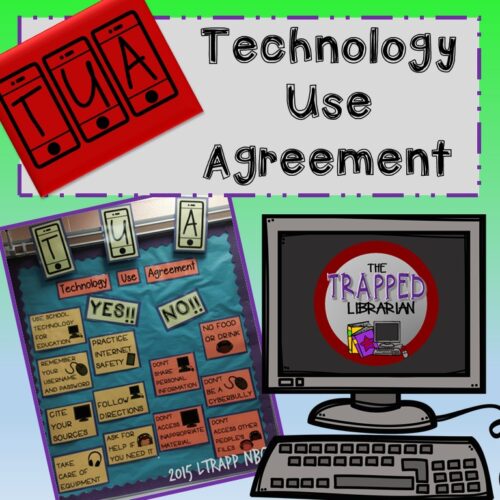
For ideas on addressing Internet safety and your school’s technology use agreement, take a look at this TUA Bulletin Board and Activity Kit.
Technology Use Agreement

Be well and have fun!

  • 9 Picture Books for Christmas with Free Resources
    I Love to Read Month in Your Library

    Comments

    1. Julie says

      December 4, 2018 at 8:33 PM

      Love it! Thanks for the cute freebie!

      • trappedlib says

        December 5, 2018 at 12:14 PM

        You’re welcome, Julie!

    2. Tina Larson says

      December 5, 2018 at 7:22 AM

      Thanks for the great idea- this one is new to me! I’m curious about how you handled the access code on iPads. The code I received was a lot for kids to type in.

      • trappedlib says

        December 5, 2018 at 12:03 PM

        Hi Tina! I do not use the access code. They just click on the player button, use the pull down menu for their age, and click the green “Start Game” button.

    • Email
    • Facebook
    • Instagram
    • Pinterest
    • Twitter

    Past Posts

    Categories

    Find it Fast

    Books for Kids Bulletin Boards and Displays Collaboration Distance Learning Freebies FUN! Helpful Hints Inspiration Library Advocacy Library Decor Library Events Library Lessons Library Management Life Organize It! Professional Development Remote Learning Research School Library Seasonal Technology Tech Tips Test Prep TPT Uncategorized

    TPT Shop

    Facebook

    Pinterest

    Instagram

    thetrappedlibrarian

    📚 Elementary School Librarian
    🌟 NBCT 2011
    👩🏻‍🏫 Teacher Author
    Blog: trappedlibrarian.org

    𝗕𝗜𝗡𝗚𝗢!! 🌟 This fun Summer BINGO challenge is incl 𝗕𝗜𝗡𝗚𝗢!!

🌟 This fun Summer BINGO challenge is included in my Summer Reading Bundle.

🤩 Get everything you need to promote and encourage summer reading before school gets out!

➡️ https://www.teacherspayteachers.com/Product/Summer-Reading-Kit-Library-Bulletin-Board-8133216?utm_source=Facebook&utm_campaign=TL%20Summer%20Reading%20FB
    ⭐️ This fun Summer Storytime Kit has engaging acti ⭐️ This fun Summer Storytime Kit has engaging activities for your K-2 classes. Perfect for end of the year library lessons or your summer library program!

✅ Summer Scavenger Hunt
✅ Summer BINGO
✅ Summer Memory Game
✅ Music and Movement Activities
✅ Summer Book Reviews
✅ Summer Worksheet Packet

⭐️Grab it today!

https://www.teacherspayteachers.com/Product/Summer-Activities-for-Kinder-1st-2nd-End-of-the-Year-Library-Storytime-13565515?utm_source=Facebook&utm_campaign=TL%20Summer%20Storytime
    😎 Add some fun to your end of the year library les 😎 Add some fun to your end of the year library lessons with these Summer Bookmarks! Your students will love the summer jokes, summer greetings, and cute characters. Encourage summer reading and spread some end of the year fun in your elementary library or classroom.

✅ 12 Summer Jokes
✅ 8 Summer Slogans
⭐️ All in full color
⭐️ All in black and white

🙌 Use in a coloring center or print the colored versions for an end of the year gift! 
https://www.teacherspayteachers.com/Product/Summer-Bookmarks-Summer-Reading-Bookmarks-9514093?utm_source=Facebook&utm_campaign=TL%20Summer%20Bookmarks%20FB
    ☀️😎 𝗧𝗵𝗲 𝗠𝗮𝘆/𝗝𝘂𝗻𝗲 𝗟𝗶𝗯𝗿𝗮𝗿𝘆 𝗛𝗲𝗹𝗽𝗲𝗿𝘀 𝗡𝗲𝘄𝘀𝗹𝗲𝘁𝘁𝗲𝗿 is her ☀️😎 𝗧𝗵𝗲 𝗠𝗮𝘆/𝗝𝘂𝗻𝗲 𝗟𝗶𝗯𝗿𝗮𝗿𝘆 𝗛𝗲𝗹𝗽𝗲𝗿𝘀 𝗡𝗲𝘄𝘀𝗹𝗲𝘁𝘁𝗲𝗿 is here to help you finish the year strong and start dreaming about summer! This issue is packed with practical ideas for your school library.

 𝗪𝗵𝗮𝘁 𝘆𝗼𝘂’𝗹𝗹 𝗳𝗶𝗻𝗱 𝗶𝗻𝘀𝗶𝗱𝗲: 
 ☀️Fun resources to celebrate America's 250th!
 ☀️Lots of book recommendations!
 ☀️Fun freebies!
 ☀️A head start on back-to-school season!

📬 Check your inbox or click here to read it now >>> https://trappedlibrarian.org/elementary-library-newsletter/
    ☀️Get ready for May with great ideas for your libr ☀️Get ready for May with great ideas for your library lessons! 

✅ Library Review and Assessment
✅ Ocean-themed storytime
✅ Calming Yoga
✅ Summer Reading Challenge

😎 You'll be 𝗿𝗲𝗹𝗮𝘅𝗲𝗱 and 𝗽𝗿𝗲𝗽𝗮𝗿𝗲𝗱 for the month!

🤓 Read it on the Trapped Librarian Blog!
>>>>> https://trappedlibrarian.org/2022/05/18/may-library-lessons/
    ⭐ 𝗜𝘁'𝘀 𝗡𝗮𝘁𝗶𝗼𝗻𝗮𝗹 𝗣𝗼𝗲𝘁𝗿𝘆 𝗠𝗼𝗻𝘁𝗵! ⭐ Do you celebrate ⭐ 𝗜𝘁'𝘀 𝗡𝗮𝘁𝗶𝗼𝗻𝗮𝗹 𝗣𝗼𝗲𝘁𝗿𝘆 𝗠𝗼𝗻𝘁𝗵! ⭐

Do you celebrate Poetry Month in your library??

It's a great time to....
✅ Encourage creativity
✅ Strengthen collaboration with classroom teachers
✅ Renew interest in your library's poetry section

➡️ Get more ideas over on the blog >>>> https://trappedlibrarian.org/2021/04/4-fun-poetry-month-activities-for-the-school-library/
    🩵Finish the month strong with fun ideas from the L 🩵Finish the month strong with fun ideas from the Library Helpers Newsletter! 

https://trappedlibrarian.org/elementary-library-newsletter/
    ⭐️ Get your students hooked on a new book series! ⭐️ Get your students hooked on a new book series! ⭐️ These book series lists will keep your students reading and hook them on books that they love.
 
You'll get:
✅  Lists of popular chapter book series in order
✅  Printable or Digital lists
✅  Printable bookmarks have fun quotes on the back
 
📚  Grab this versatile resource and make it easy for your students to find their next favorite book! 📚

Grab them today! >>>>> https://www.teacherspayteachers.com/Product/Book-Series-Bundle-Chapter-Books-6838041?utm_source=facebook.com&utm_campaign=TL%20Ch%20Book%20Series%20Bundle%20FB
    Kids love bookmarks... and JOKES!! ⭐️ Add some fun Kids love bookmarks... and JOKES!! ⭐️ Add some fun to your April library lessons with these Earth Day Bookmarks! 🌎

20 𝗘𝗮𝗿𝘁𝗵 𝗗𝗮𝘆 𝗕𝗼𝗼𝗸𝗺𝗮𝗿𝗸 𝗗𝗲𝘀𝗶𝗴𝗻𝘀:
💚 8 Earth Day Greetings
💙 12 Earth Day Jokes
💚 All 20 designs in full color and black & white printing options
💙 Bookmarks print 4 to a page

🌎 Your students will love the Earth Day jokes and greetings, and the cute characters. 

Encourage reading in April and spread some springtime fun in your elementary library or classroom.

>>>> https://bit.ly/3U25pst
    Follow on Instagram
    • ABOUT
    • CONTACT
    • Privacy Policy

    © 2026 // Design by Laugh Eat Learn // Theme by Pretty Darn Cute Design